Overview:
As a follow-up to the last post on adding a soundbar to our external TV, the next step was to be able to play music from our Kenwood dash radio that came installed in the coach.
Two options came up:
- Use Bluetooth to stream wirelessly from the radio to the soundbar
- Run an audio cable from the radio to the soundbar directly
I tried the first option by buying a BT transmitter/receiver, physically connecting it to the dash radio and then pairing it to the soundbar. That part work, but the the radio had to be on inside the coach controlling the volume and there was a noticeable sound delay that made it very hard to listen to.
The best result was with a long optical cable run from radio to the soundbar, it eliminated the delay and the sound quality was significantly better.
This DIY builds on the last with the installation of a Bose Solo 5 soundbar for your patio TV. If you have a different soundbar – your instructions may vary.
Parts List:
- Amazon Basics Optical Audio Cable 15ft – $10 (There is a 25ft length if 15 is too short)
- Amanka Digital to Analog Audio Converter – $13
- Amazon Basics 2-Male to 2-Male RCA Audio Cable 4ft – $10
- eSynic 3-Port Toslink Switch w/ Remote – $21 (Bose soundbar has only one Optical connection, this allows you to connect both TV and Dash radio)
- Cable tie-downs or cable staples
- 3M double-sided sticky tape
Tools Required:
- Electric Drill
- Step-Drill Bit
Steps Involved:
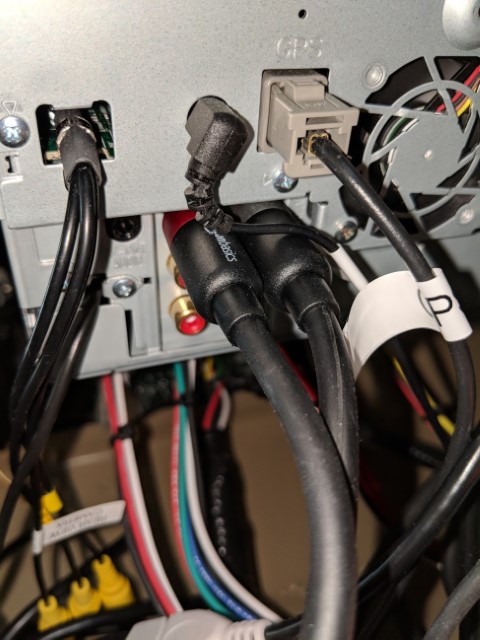 |
- Get access to the rear of your dash radio. Most Tiffin RVs have an access panel above the radio that can be removed from the dash to access your radio.
- Find the RCA output connections on the Kenwood radio (Look in your radio manual if you can’t find them).
- Connect the one side of the Male-to-Male RCA cable to the radio RCA output.
|
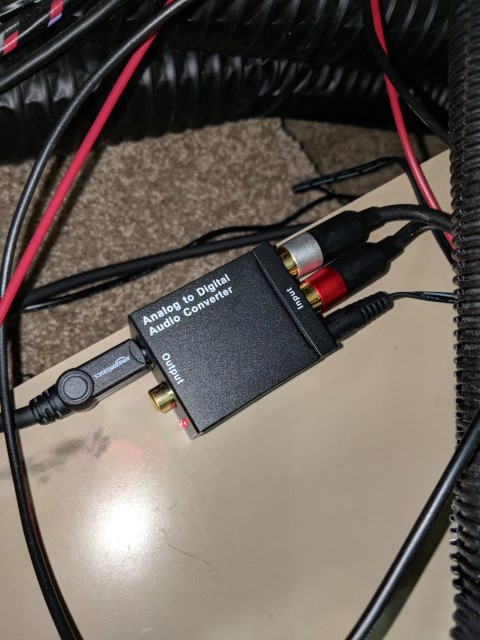 |
- Connect the other end of the RCA cable to the Audio Converter box
- Connect one end of the 15ft Optical cable to the other end of the converter box.
- Run the power to the converter box, neatly thru the dash, to the outlet in front of the passenger seat.
- Use some double-sided tape to fasten the converter box to the inside of the dash or where best convenient.
|
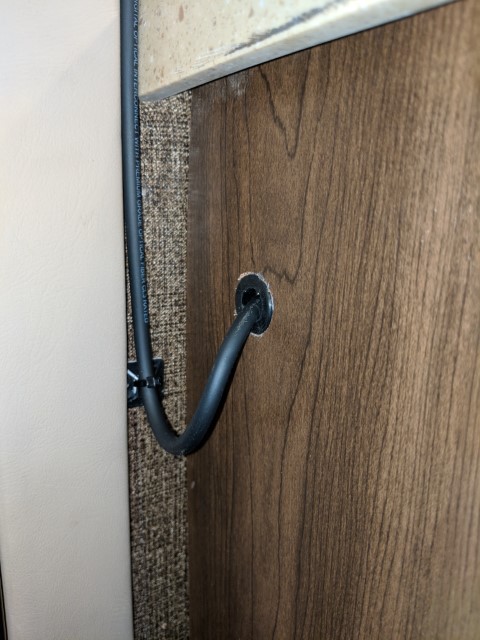 |
- Run/route the cable in the neatest way possible from the converter box to the nearest cabinet or furniture item on the passenger side of your coach
- If you have a cabinet, make a small hole with a tapered step-drill bit to gain entry for routing the optical cable to the outside TV.
- Use cable tie-downs to neatly route the cable around your door and other obstacles.
|
 |
- Gain access to behind your Outside-TV (this can be done by removing drawers from inside the coach or better from un-mounting your outside TV)
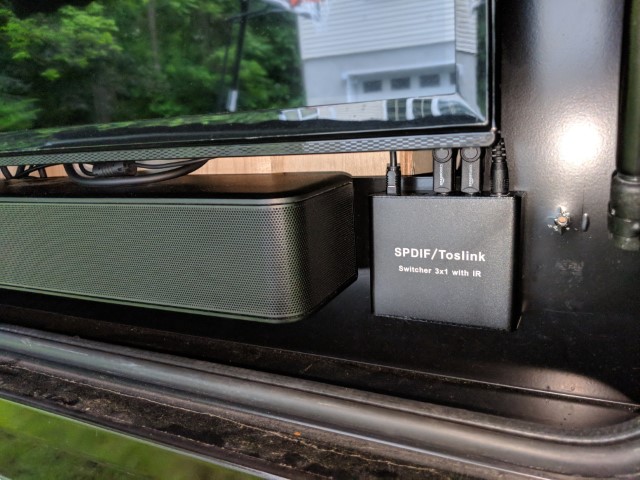
- There is a power strip the outside TV is plugged into behind the TV panel – plug the 3-way Optical switch to the plug.
- Use sticky tape to mount the 3-Way switch in the TV comparment. Be sure to check TV & Soundbar clearance.
- Connect the Optical cable you ran from the dash radio to one connection. Connect the optical cable from the outside TV to another connector.
- Test your setup by turning on your dash radio, turn on your soundbar and use the 3-way switch remote or button to change the Optical source. Use the soundbar remote to adjust volume.
- Final install should look like the photo – ENJOY
|